Publish your listing to Agents Market so other agents can find it, bring buyers, and help you close deals faster.
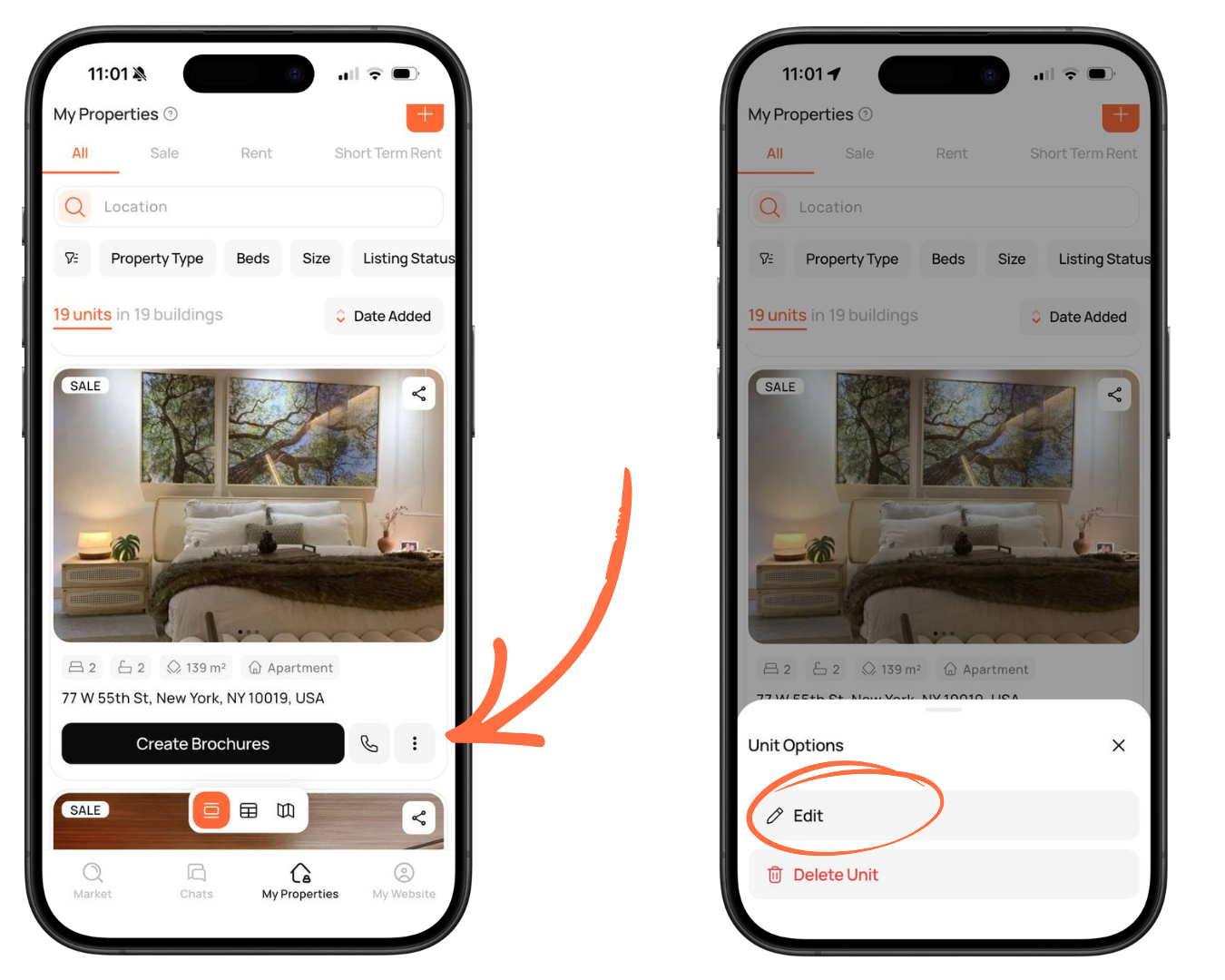
- Open My Properties and find the property you want to publish. Tap the three dots next to it.
- Select Edit.
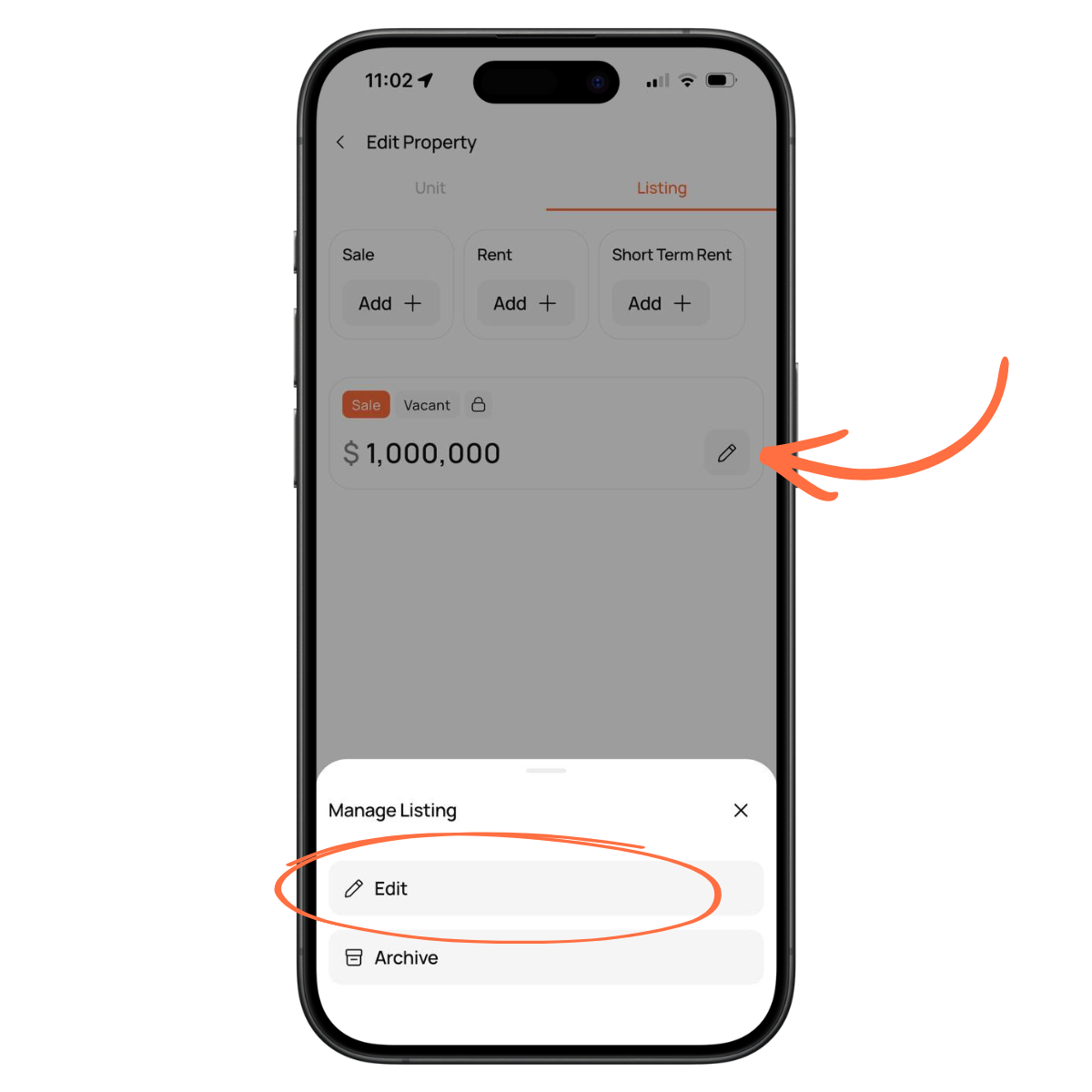
3.Go to the Listing tab, then tap the edit icon on the listing card.
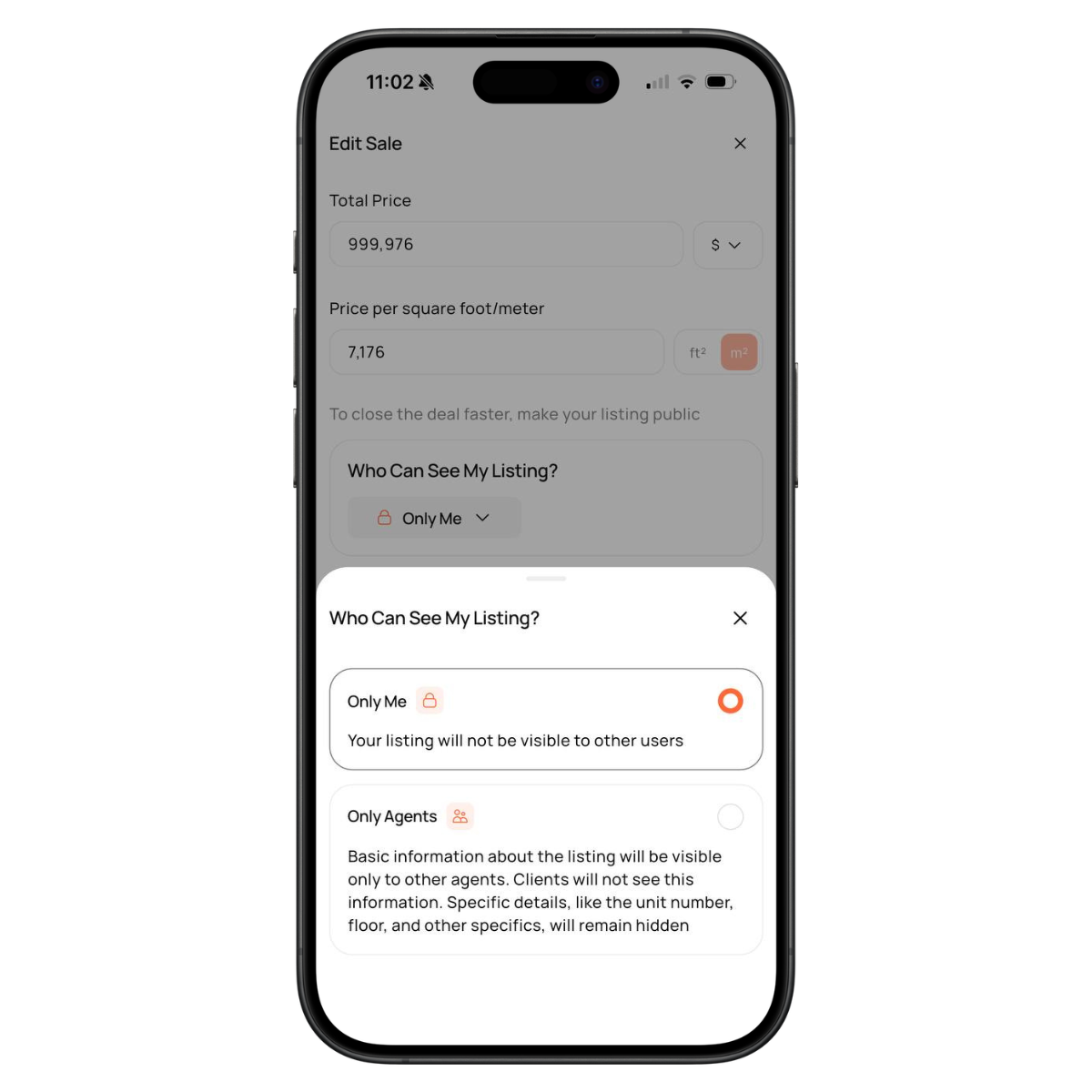
4.In Who Can See My Listing?, select Only Agents.
This will make your listing visible to other agents in Agents Market.
This will make your listing visible to other agents in Agents Market.
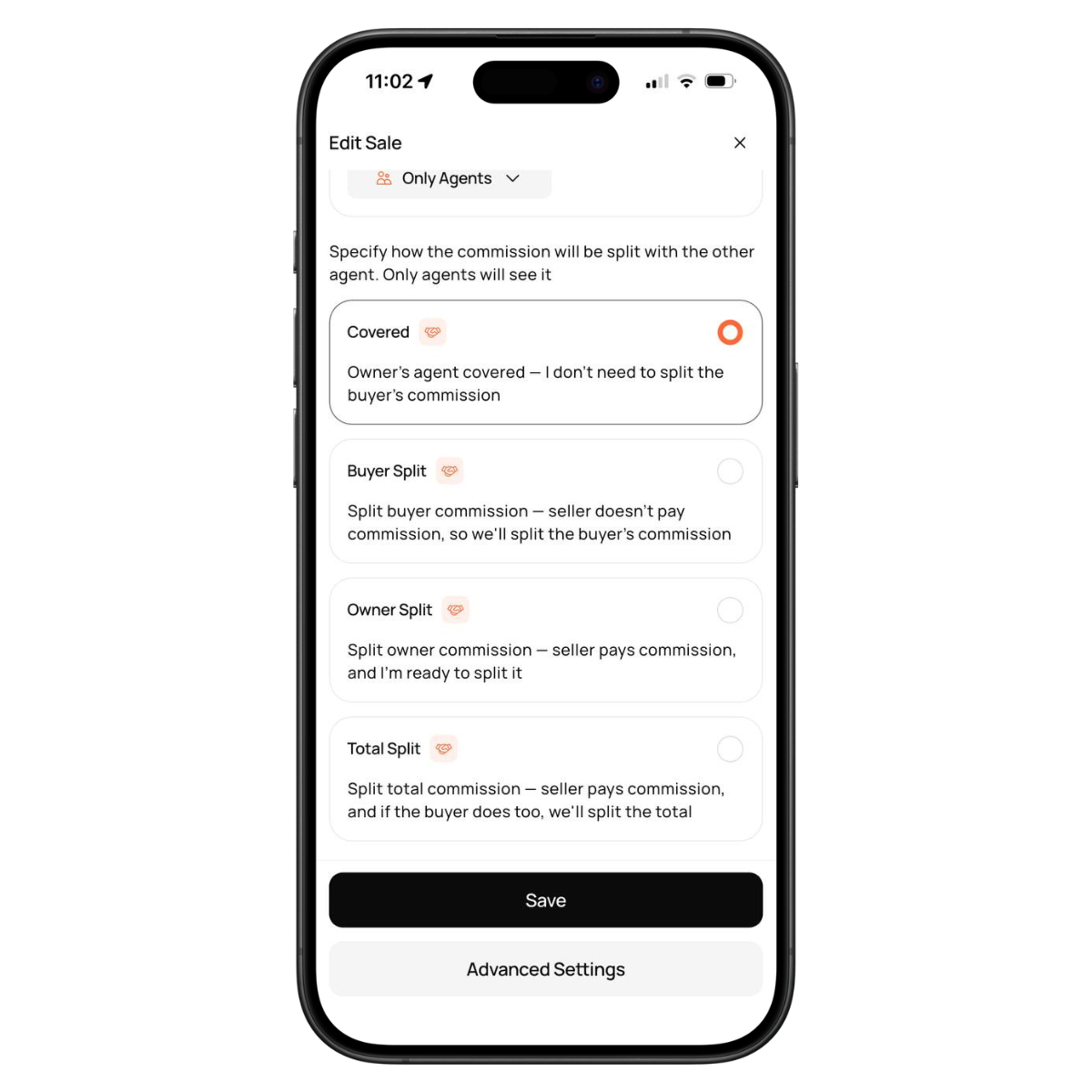
5.Choose how you want to set the commission split with the other agent:
6.Tap Save.
- Covered
- Buyer Split
- Owner Split
- Total Split
6.Tap Save.
Your listing will now be visible to other agents in the market, who can discover it and contact you directly.
If you have any questions, please contact support.
If you have any questions, please contact support.